Product Description
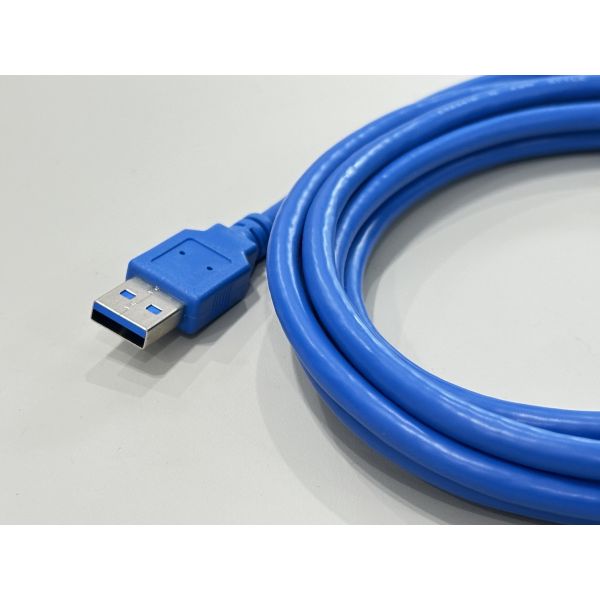
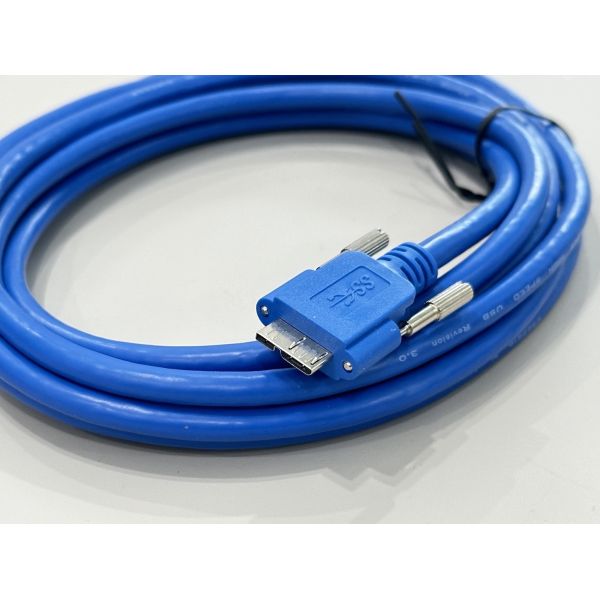
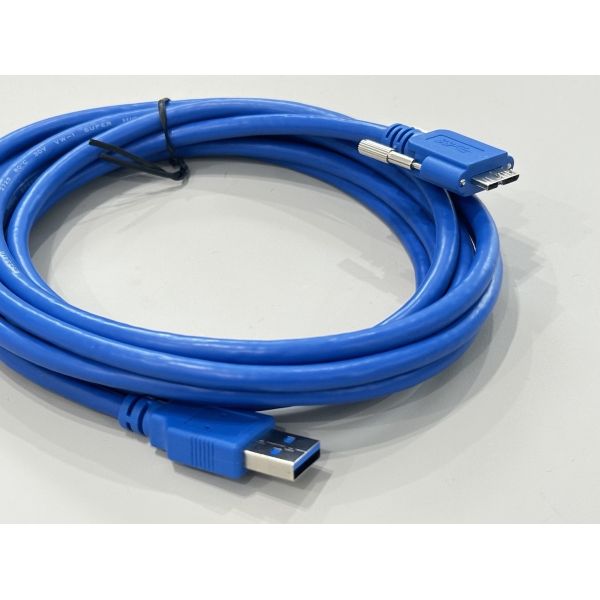
This USB 3.0 A to B connector cable provides reliable high-speed electronic signal and power transmission between computers and peripheral equipment. The cable uses oxygen-free copper conductors and optimized impedance control to keep data errors low at SuperSpeed rates. Multi-layer shielding around the twisted data pairs helps suppress EMI/RFI in dense PCB and server environments. Robust molded male terminals with strain relief protect the connector pins from mechanical stress, supporting frequent plugging and unplugging in office, lab and industrial applications. Length, color, overmold style and harness routing can be customized to match OEM equipment layouts or cabinet wiring needs.

| Product type | USB 3.0 A–B connector cable |
| Connector A | USB 3.0 Type-A male terminal, molded housing |
| Connector B | USB 3.0 Type-B male terminal, molded housing |
| Interface standard | USB 3.0 SuperSpeed, backward compatible with USB 2.0 |
| Data rate | Up to 5 Gbps digital signal transmission |
| Cable length | 1.5 m standard, other lengths customizable |
| Conductor material | Stranded tinned copper wire |
| Wire gauge | 24 AWG power cores, 28 AWG twisted data pairs |
| Shielding | Individual pair foil + overall braided shield |
| Outer jacket | Flexible PVC, blue color |
| Rated voltage | 30 V DC max |
| Rated current | 1.5–2.0 A (typical USB 3.0 power line) |
| Operating temperature | -20 °C to +80 °C |
| Flame rating | VW-1 optional |
| Compliance | RoHS compliant, halogen-free optional |
| Custom options | Length, jacket color, labeling, bundled harness, PCB side connector combinations |
Applications
Connecting PCs or servers to USB 3.0 printers, scanners and multi-function office devices
Data transmission between computers and external DACs, test instruments or control modules
Industrial automation controllers, power supplies and measurement equipment requiring stable USB A–B links
Customized cable assemblies inside racks where USB interfaces join with other connector systems and power wires
Precautions
Confirm that the device uses a USB Type-B receptacle; do not force insertion into other connector types.
Do not exceed the specified current and voltage ratings for continuous power delivery.
Avoid sharp bends, crushing or stretching; keep the bend radius larger than 10 times the cable diameter.
Insert and remove the cable by holding the connector housing, not pulling on the wire.
Keep the cable away from high-temperature components, oil, and strong electromagnetic fields to maintain long-term transmission stability and insulation performance.