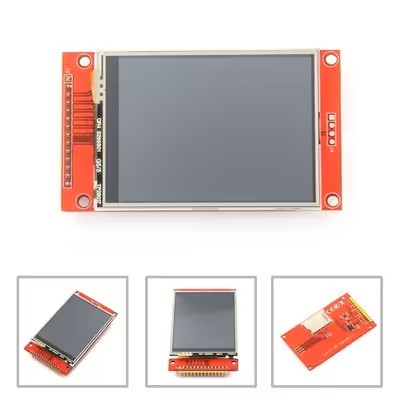
Specifications
Supply Ability :
50K/Month
Outline :
118.5×84.7×5.2 mm
Signal Interface :
LVDS
Lumens Degrees :
1000cd/m²
Interface :
RGB, SPI, MIPI, LVDS, or Parallel
Display Mode :
Normally White, Transmissive
View Direction :
free/all
Viewing Area :
116.2mm×87.1mm
Controller Ic :
SSD1316
Storage Temperature :
-30℃~80℃
Lcm Dimension :
34.60(H) X 47.80(V) X 1.90(T)
Price :
$16-18.5/pieces
Operating_Temperature :
-20°C to 70°C
Brand Name :
XXT
Packaging Details :
100*65*50mm/126g
Response Time :
6ms
Display Color :
Monochrome Black and White
Name :
Raspberry Pi Zero Touch Screen
Model Number :
YQ84-4
Delivery Time :
30-45days
Color Gamut :
72 % of NTSC(Typ.)
Payment Terms :
T/T
Place of Origin :
Guangdong, China
MOQ :
100
Drive System :
a-Si TFT active matrix
Description
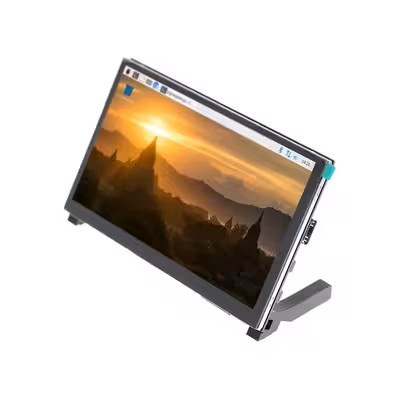
4 Inch Raspberry Pi Zero Touch Screen LCD Display 800*480 HDMI Port RTP Touch Panel
Detail Information
Place of Origin
China
Brand Name
xXT
Certification
CE/ROHS
Model Number
YQ84-4
Type:
Raspberry Pi Lcd Display
Display Size:
4 Inch LCD Display
Supplier Type:
Factory
Size:
4inch Display
Outline Dimension:
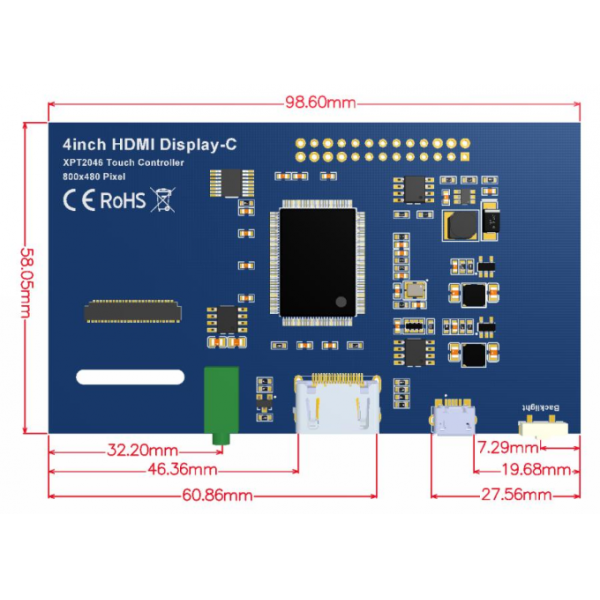
98.60*58.05
WEIGHT(LCM):
126g
Video Input:
HDMI
Highlight:

4 Inch Raspberry Pi Zero Touch Screen

,

Raspberry Pi Zero Touch Screen LCD Display

,

HDMI Port RTP Touch Panel

Product Description
4 Inch Raspberry Pi Zero Touch Screen LCD Display 800*480 HDMI Port RTP Touch Panel
Product Description
  • 4" standard display with 800 * 480 resolution
  • IPS technology for fast response, wide viewing angle, and true color reproduction
  • Resistive touch screen supports touch control
  • Backlight control with adjustable brightness
  • Standard HDMI interface input, compatible with Raspberry Pi (3rd, 2nd, and 1st generation)
  • Can function as general-purpose HDMI monitor (requires 800*480 resolution output)
  • No IO resources needed for display only (Raspberry Pi uses IO resources for touch)
  • CE and RoHS certified
Product Parameters
Size 4.0 inch
SKU MPI4008
Display Mode IPS
Resolution 800*480 dots
Touch 4-wire resistive touch
Dimensions 143*134*51 mm
Weight 127 g
Hardware Description
800*480 Raspberry Pi Zero Touch Screen HDMI Port RTP Touch Panel 4 Inch
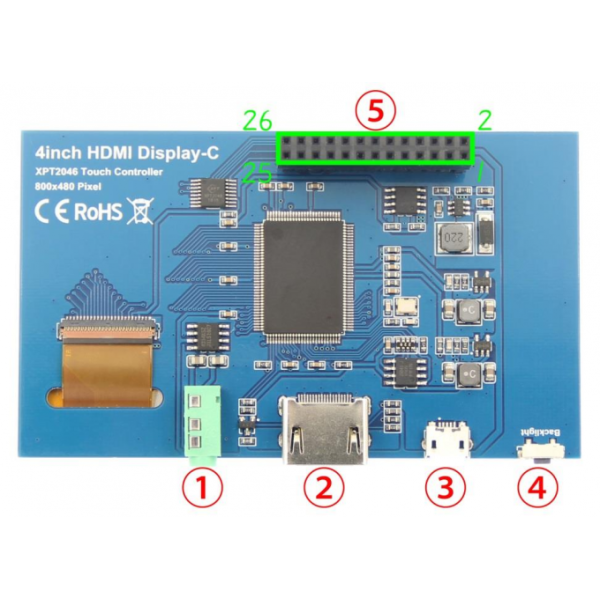
  1. 3.5mm Headphone Jack: Output audio signal
  2. HDMI: Connect main board and LCD display for HDMI transmission
  3. Micro USB: Provides 5V power (optional if using 13*2 Pin Socket)
  4. Backlight adjustment button: Short press changes brightness 10%, long press turns backlight off/on
  5. 13*2 Pin Socket: Provides +5V power from Raspberry Pi and transfers touch signals
13*2 Pin Socket Interface Definition
Pin Name Description
1,17 3.3V Power supply +3.3V
2,4 5V Power supply +5V
3,5,7,8,10,11,12,13,15,16,18,24 NC No connection
6,9,14,20,25 GND Ground
19 TP_SI SPI data input of touch panel
21 TP_SO SPI data output of touch panel
22 TP_IRQ Touch panel interrupt signal (low when pressed)
23 TP_SCK Touch panel SPI clock signal
26 TP_CS Touch panel select signal (low level selects touch panel)
Dimensions
800*480 Raspberry Pi Zero Touch Screen HDMI Port RTP Touch Panel 4 Inch
Connect with Raspberry Pi
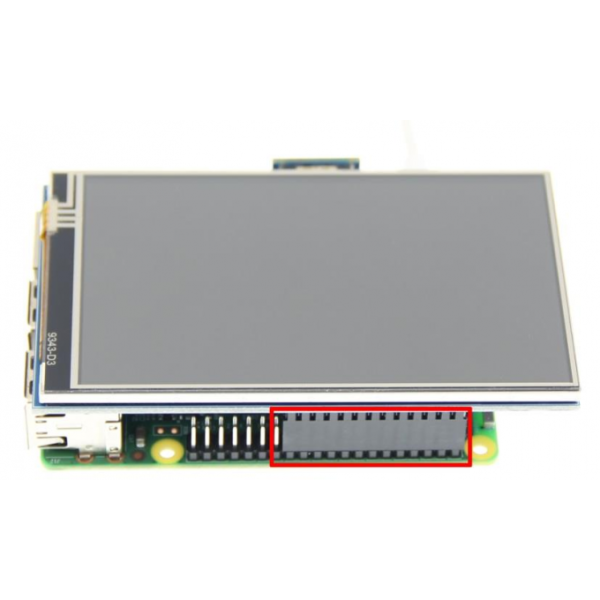
  1. Connect the LCD 13*2 Pin socket to Raspberry Pi as shown:800*480 Raspberry Pi Zero Touch Screen HDMI Port RTP Touch Panel 4 Inch
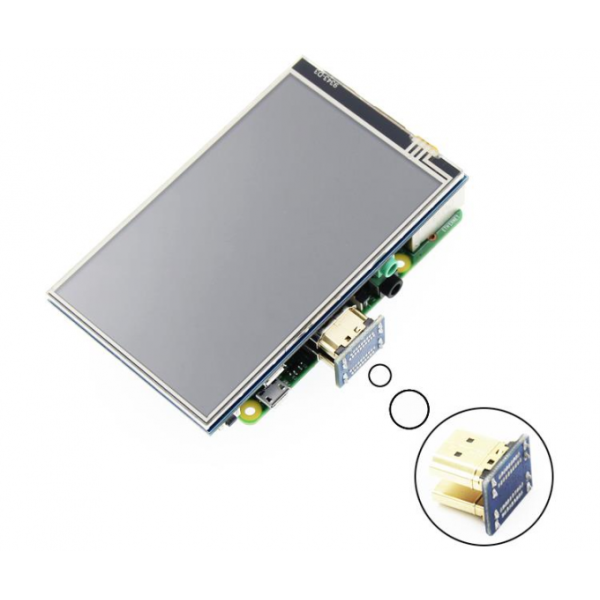
  2. Connect the LCD and Raspberry Pi with the HDMI adapter:800*480 Raspberry Pi Zero Touch Screen HDMI Port RTP Touch Panel 4 Inch
How to Use with Raspbian
Step 1: Install Raspbian Official Image
  1. Download from official website: https://www.raspberrypi.org/downloads/
  2. Format Micro SD card using SDFormatter
  3. Burn the official image to Micro SD card using Win32DiskImager
Step 2: Install Driver
Method 1: Online Installation (Requires Internet)
  1. Log onto Raspberry Pi via Putty SSH (User: pi; Password: raspberry)
  2. Execute the following command (you can click the right mouse button to paste after copied in Putty)
    git clone https://github.com/goodtft/LCD-show.git
    chmod -R 755 LCD-show
    cd LCD-show/
    sudo ./MPI4008-show
  3. Wait for a moment after executing, you can use the LCD.
Method 2: Offline Installation
  1. Download or copy "lcd-show.tar.gz" driver to Raspberry Pi system root directory: http://www.lcdwiki.com/res/RaspDriver/LCD-show.tar.gz
  2. Unzip and extract drive files as the following command:
    cd /boot
    sudo tar zxvf LCD-show.tar.gz
    cd LCD-show/
    sudo ./MPI4008-show
  3. Wait for a moment after executing, you can use the LCD
How to Use with Ubuntu, Kali and RetroPie
Step 1: Install Official Image
  1. Download from official websites:
    • Ubuntu: https://ubuntu-mate.org/raspberry-pi/
    • Kali: https://www.offensive-security.com/kali-linux-arm-images/
    • RetroPie: https://retropie.org.uk/download/
  2. Format Micro SD card using SDFormatter
  3. Burn the official image to Micro SD card using Win32DiskImager
Step 2: Install Driver (Offline Only)
Due to system differences, Ubuntu, Kali, RetroPie are temporarily unable to install drivers online. Only the offline installation method can be used.
1) Download the corresponding version of driver "LCD-show.tar.gz" from the website to the root directory of Micro SD card of raspberry PI system(Note: if the version does not match, the LCD may not display properly):
http://www.lcdwiki.com/4inch_HDMI_Display-C#Download_Resources
(After the completion of the recommended step 1, copy the driver directly into the Micro SD card root directory)
2) Unzip and install the driver using the following command:
cd /boot
sudo tar zxvf LCD-show.tar.gz
cd LCD-show/
sudo ./MPI4008-show
3) After the command is executed, the system will restart and the LCD will work normally
Quick Start with Pre-installed Driver Image
  1. Download driver image from: http://www.lcdwiki.com/4inch_HDMI_Display-C#Download_Resources
  2. Format Micro SD card using SDFormatter
  3. Burn the image to Micro SD card using Win32DiskImager
  4. Insert card, connect LCD, and start Raspberry Pi
How to Use as PC Monitor
  • Connect computer HDMI output to LCD HDMI interface
  • Power via Micro USB interface
  • For testing, use as only display (disconnect other monitors)
  • Note: Touch function not available when used as PC monitor
Send your message to this supplier
Send Now

800*480 Raspberry Pi Zero Touch Screen HDMI Port RTP Touch Panel 4 Inch

Ask Latest Price
Supply Ability :
50K/Month
Outline :
118.5×84.7×5.2 mm
Signal Interface :
LVDS
Lumens Degrees :
1000cd/m²
Interface :
RGB, SPI, MIPI, LVDS, or Parallel
Display Mode :
Normally White, Transmissive
Contact Supplier
800*480 Raspberry Pi Zero Touch Screen HDMI Port RTP Touch Panel 4 Inch

Shenzhen Xinxiantong Technology Co., Ltd.

Verified Supplier
1 Years
shenzhen
Since 2022
Business Type :
Manufacturer, Distributor/Wholesaler, Agent, Exporter
Employee Number :
100~120
Certification Level :
Verified Supplier
Contact Supplier
Submit Requirement