Interactive Touch Screen Self Ordering Payment Kiosk
Self Ordering Kiosks are interactive tools that allow guests to view your menu and place orders independently. In today's fast-paced environment, consumers demand quick service - making these kiosks increasingly popular in foodservice establishments. These kiosks not only reduce wait times but also engage diners by facilitating informed choices through ingredient lists and substitution options. Customers can pay when ordering, allowing your staff to focus on order preparation.
Technical Specifications
| Installation |
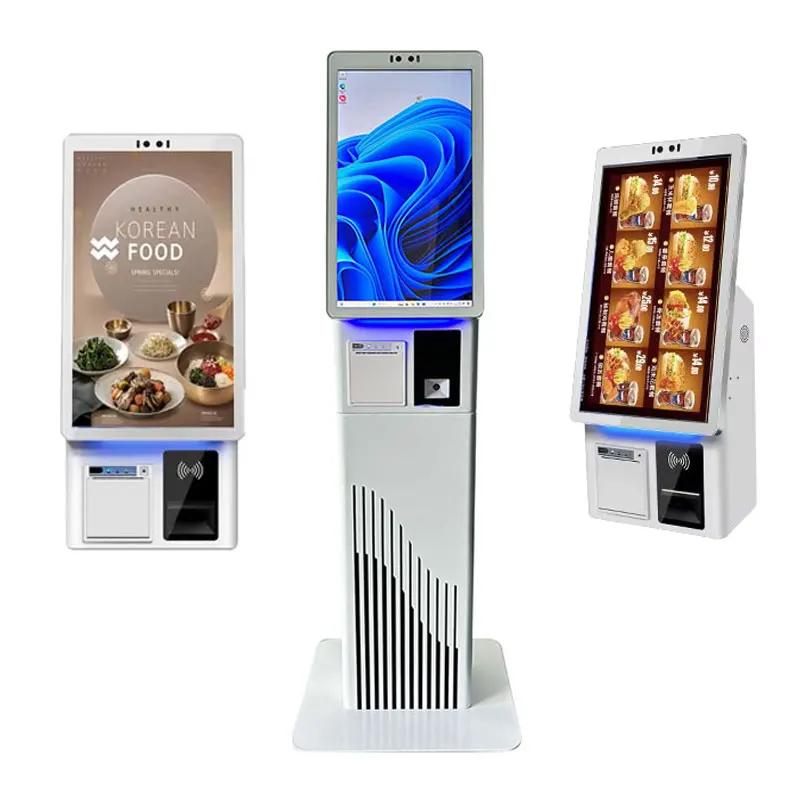
Desktop, Wall Mounted, Floor Stand |
| Resolution |
1920×1080 |
| Touch Screen |
Capacitive Touch 10 Point |
| Operating System |
Android/Win7/8/10 |
| Application |
Restaurant,Supermarket,Shopping Mall |
| Function |
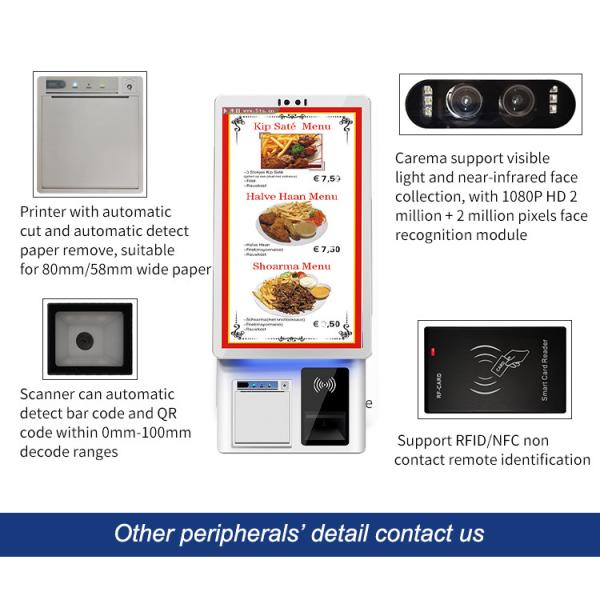
Ticket Printing, QR Scanner, RFID Reader |
| Size |
21.5 Inch |
| CPU |
Intel Core i3/i5/i7 or Rockchip RK3568/3588 |
| RAM |
4G/8G/16G DDR3/DDR4 |
| Logo |
Custom Customer's Logo |
Key Features
- Autonomy: Customers can order and pay independently without waiting for the waiter, which improves dining efficiency.
- Customizability: Provide a personalized ordering experience to meet the taste needs of different customers.
- Fast and Efficient: The self-service ordering machine is simple to operate and can quickly complete the entire ordering process.
- Reduce Labor Costs: Reduce the workload of restaurant waiters and save human resource costs.
- Information Accuracy: Through the digital ordering system, the possibility of order errors is reduced and order accuracy is improved.
Core Functions
- Menu Browsing: Provides users with the function of browsing the menu, viewing pictures and detailed descriptions to help customers better understand the dishes.
- Independent Ordering: Users can select the desired dishes, quantity and specific requirements by touching the screen.
- Customization Options: Support customers to customize options during the ordering process, such as adjusting ingredients, flavors, etc.
- Order Confirmation: Users can confirm the order on the screen to ensure that the order is accurate.
- Payment Function: Provides a variety of payment methods, such as scan code payment, card payment, etc., to facilitate users to complete payment.
Key Advantages
- Improve Efficiency: Self-service ordering machines can reduce the workload of waiters and improve ordering efficiency.
- Reduce Errors: Through independent selection and clear order overview, ordering errors caused by communication errors are reduced.
- Reduce Costs: Reducing the number of service personnel and reducing order processing time can reduce operating costs.
- Increase Sales Opportunities: By recommending special dishes, set meals, etc., self-service ordering machines help increase sales.
Application Scenarios
Restaurants and Fast Food Restaurants: Provides a fast and convenient ordering experience, suitable for all types of dining establishments.
Cafes: It is convenient for customers to choose coffee, pastries and other snacks.
Cafeterias: Suitable for self-service catering, providing more flexible ordering methods.
Airports and Stations: Provide quick food and beverage service to passengers.
Corporate Cafeterias: Provide employees with convenient self-service ordering options.