Self Service Ordering Payment Kiosk 27 32 Inch Capacitive Touch Screen Wall-Mounted POS Receipt Printer with SDK Multi-OS Support
Self Ordering Kiosk Introduction
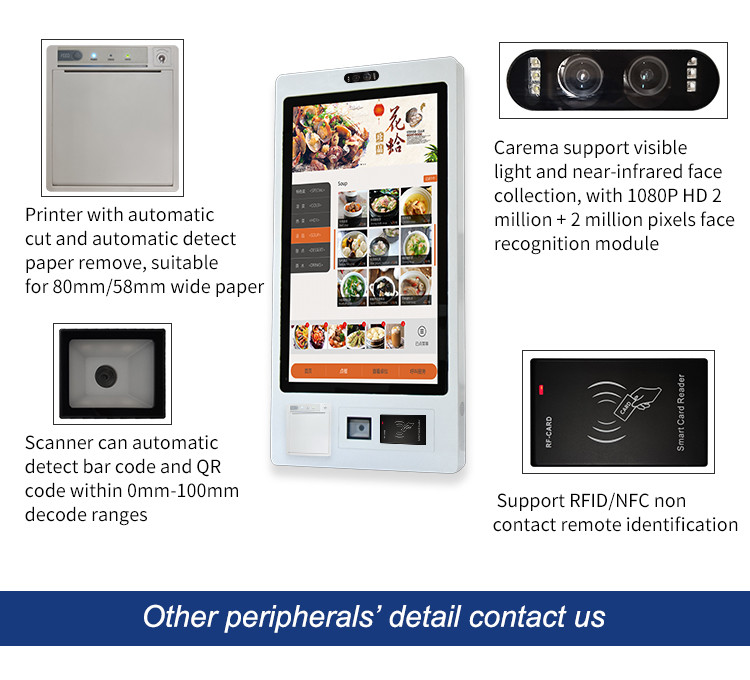
The Self Ordering Kiosk is designed with a capacitive touch 10 point screen, providing a user-friendly experience for customers of all ages. With a resolution of 1920X1080, the display is crystal clear and easy to read, making it simple for customers to navigate the ordering process. The ticket printing feature allows customers to receive a physical copy of their order, eliminating any confusion or errors that may occur with handwritten orders. The QR scanning feature allows customers to quickly and easily retrieve information about products or promotions, while the RFID reader enables contactless payment methods, providing a safe and secure payment experience for customers.
Self Ordering Kiosk Specifications
| Attribute | Value |
| Product Name | Restaurant Kiosks |
| Operating System | Android/Win7/8/10 |
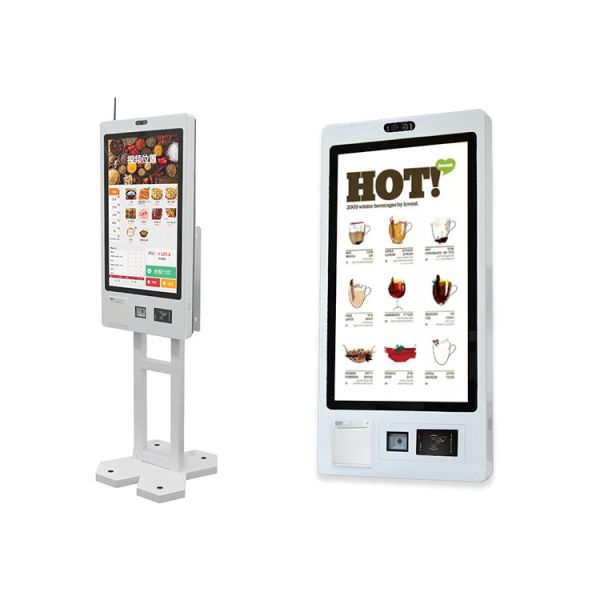
| Mounting Type | Wall Mount/Floor Standing |
| Resolution | 1920X1080 |
| Application | Retail Restaurant Hospital |
| Screen Size | 21.5/23.8/27/32 Inch |
| RAM | 4G/8G/16G DDR3/DDR4 |
| Interface | Magnetic Card/IC Card/RF Card |
| Brightness | 250-1000cd/m² |
| Material | Metal Case |
| Warranty | 1 Year |
Self Ordering Kiosk Features
- 1. User-friendly: It is easy to operate and does not require customers to have professional skills to complete the entire ordering and payment process.
- 2. Multi-language support: Supports multiple languages to meet the language needs of different regions and users.
- 3. Instant updates: Menus, prices and other information can be updated in real time to ensure that users get the latest information.
- 4. Data collection: User ordering behavior data can be collected, which helps merchants conduct precise marketing and improve services.
- 5. Save manpower: Reduce the pressure of manual ordering and checkout, and improve restaurant operation efficiency.
Self Ordering Kiosk Applications
Fast food restaurants: Used to provide fast ordering and payment services to adapt to the fast-paced lifestyle.
Cafeteria: Support customers to choose their own dishes and improve the operational efficiency of the cafeteria.
Cafe: Provide a more convenient coffee and snack ordering experience and reduce waiting time.
Business area: Placed in the business area, it is convenient for busy business people to have a quick meal.
Public places: such as airports, train stations, etc., provide passengers with the convenience of choosing their own meals.