Specifications
Resolution :
1920×1080
Brand Name :
ZXTLCD
Model Number :
ZXTLCD-OLED550D
Certification :
CE/Rohs/FCC
Place of Origin :
Guangdong, China
MOQ :
1
Price :
negotiable
Payment Terms :
T/T,
Supply Ability :
100 pcs per month
Delivery Time :
15 working days
Packaging Details :
wooden case or flight cases are optional
Built-in wifi :
150Mbps 802.11n wifi integate
Touchscreen type :
Projected Capacitive Touch screen
Screen Size :
55 inch
Panel transparency :
43%
Touch points :
10 points
Appearance Color :
White/Black/Customization
Type of backlight :
OLED self-luminous
refresh rate :
120Hz
Description

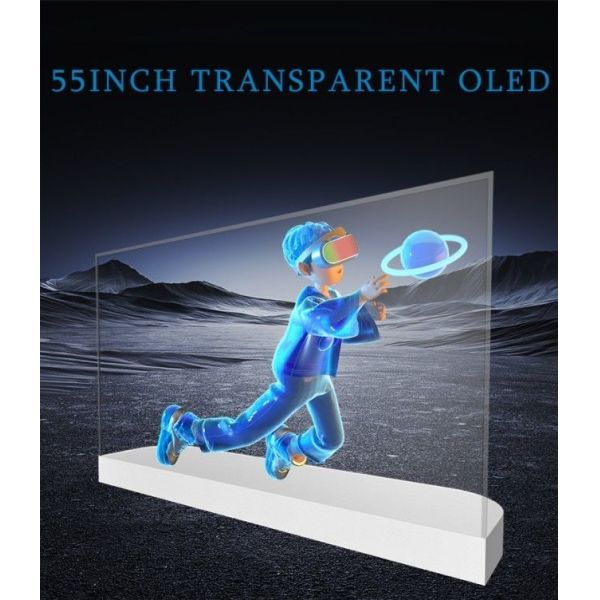
55 Inch Transparent OLED 2K HD Desktop Horizontal Capacitive Touchscreen Transparent OLED Display


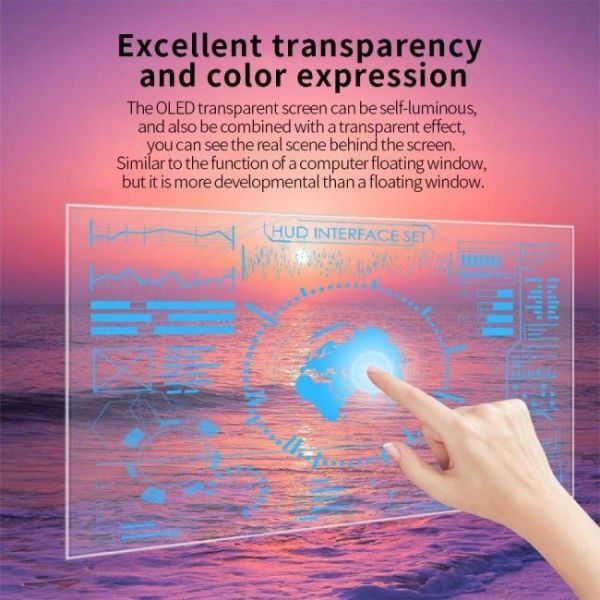
55-Inch Desktop 2K Transparent OLED Touch Display is a good fit when a normal LCD would interrupt the design language of the space. The product direction, Executive Demo Desk Interface, gives it a clearer role than general signage. For a retail brand manager, it answers a project need: add motion, product data, navigation, or interaction while keeping the background available to the viewer. That balance is the reason to specify Desktop Transparent OLED Touch Display.


Application Scenarios

A realistic brief for 55-Inch Desktop 2K Transparent OLED Touch Display starts with hands-on explanation, assisted selling, visitor exploration, and short public interactions. The 55-inch format changes the brief because the viewer compares the media layer with a real object, route, fixture, or interior.

Content and Background Planning

For Executive Demo Desk Interface, the first mockup should show the background and the content together, not as separate approvals. That discipline helps the retail brand manager avoid a common mistake: buying a transparent display before deciding what the transparency is meant to reveal.

OLED Display Value

The OLED value is strongest when the buyer wants a digital surface that does not dominate the architecture. Because each pixel emits its own light, content can be designed with open areas, floating labels, contrast-driven graphics, and restrained motion. In a 55-inch build, that can make the difference between a display that feels attached to the fixture and one that feels like part of the fixture.

Executive Demo Desk Interface

For 55-Inch Desktop 2K Transparent OLED Touch Display, that technical value should be judged through executive demo desk interface, not as a generic transparent-screen effect.

Installation and Deployment

A practical deployment of 55-Inch Desktop 2K Transparent OLED Touch Display depends on the surrounding structure. The review should cover mounting height, reach distance, controller access, and a stable touch surface.


Power, Signal and Ventilation

Although the front view of a 55-inch transparent OLED may look light, the build still needs a path for power, signal, ventilation, and service. For Executive Demo Desk Interface, the mounting method should protect the panel, keep the visible area clean, and allow a technician to reach the system without disturbing the surrounding display environment.

Content Planning

The content plan for 55-Inch Desktop 2K Transparent OLED Touch Display should define what changes weekly and what stays stable. The playback method should support screen flows, button labels, product data, language versions, and short guided paths.

Content Design and Updates

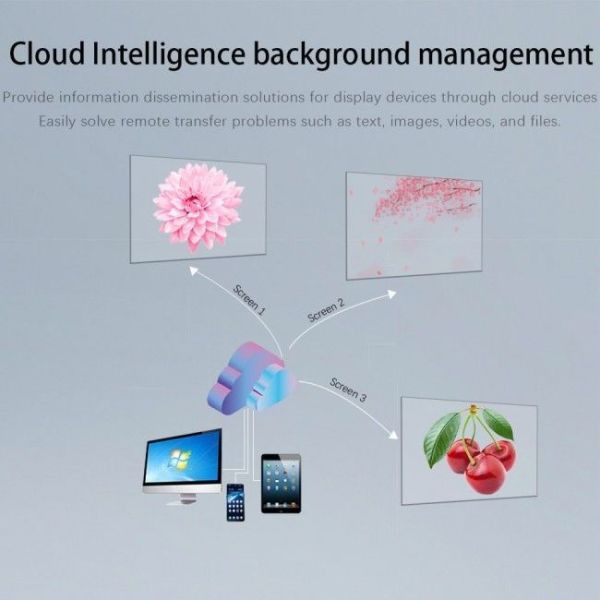
Media should be written with short lines, clear hierarchy, and enough open area for the see-through effect to survive. For Desktop Transparent OLED Touch Display, procurement should include questions about update frequency, file formats, remote access, approval rights, and who owns the final content after the installation team leaves.


Transparent OLED — 55 inch Desktop Model(ZXTLCD-OLED550D)
Parameters


Panel


Size 55 inches
Type OLED panel technology
Light transmittance 43%
Dynamic contrast ratio 200000:1
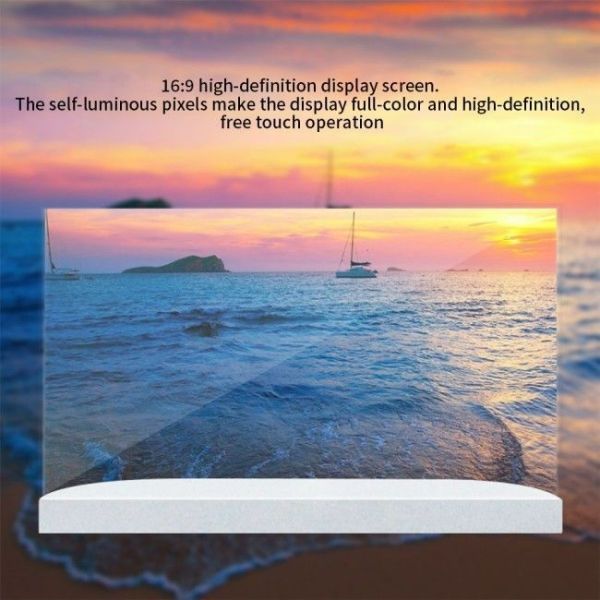
Aspect ratio 16:9
Resolution 1920*1080
Viewing angle R/L 120(min) U/D 120(min)
Brightness 600/200 cd/m² (Center 1point,typ)
Number of pixels(HxVx3) 6220800
Color gamut 90%
Lifespan (typical value) 30,000 hours
Operating time 18 hours/7 days (dynamic images only)
Orientation Landscape orientation
Refresh rate 120Hz
Interfaces Input HDM IInterfaces*1
USB Interfaces*1
Function Touch control None/Capacitive (optional)
Features Transparent display, pixel-level self-controlling backlight, ultra-fast response
Power/Environment Power supply Operating power supply: AC100-240V, 50/60Hz
Environment Temperature: 0-40°C, Humidity: 10%-80%
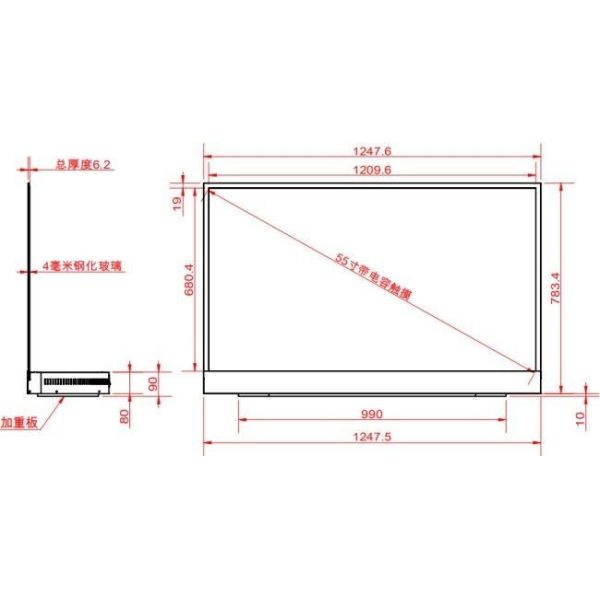
Dimension Display size 990 × 680.4 mm
Panel size

1209.6 × 680.4 mm

Overall dimensions

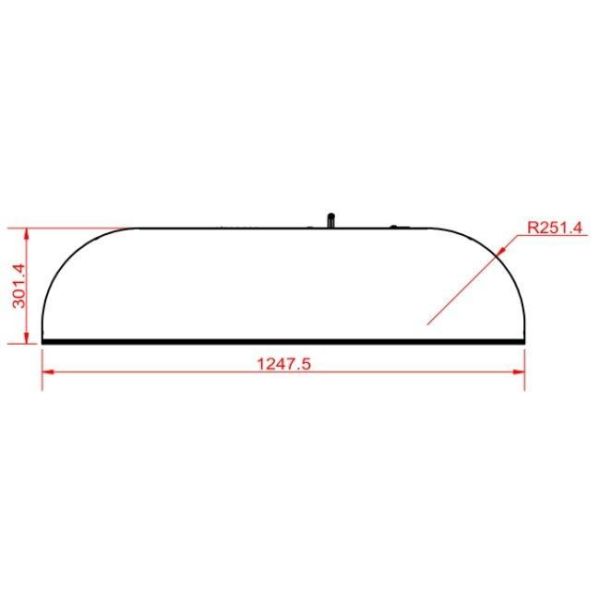
1247.6 × 783.4 mm

Power Consumption Typical value 190W
DPM 3W
Power off 0.5W
Packaging Stand Main unit box, cover plate, base
Accessories Remote control, power cord


Brightness Planning

Brightness planning for 55-Inch Desktop 2K Transparent OLED Touch Display starts with the background, not with a number on a sheet. The result depends on finger distance, glass reflection, background contrast, and how long a visitor stands in front of the panel. Transparent OLED is usually most convincing indoors, yet every site has its own reflection pattern and background density.

On-Site Testing

A useful test for Executive Demo Desk Interface should include the intended content, the real approach distance, and the surrounding materials. If readability drops, the fix may be content contrast, lighting adjustment, or a better position rather than a different product.

Touch Integration

Touch integration should be planned as a user path, not as an added feature. The interface for 55-Inch Desktop 2K Transparent OLED Touch Display should match the visitor's expected interaction time: quick selection for public traffic, deeper menus for consultants, and simplified controls for exhibition use.

Touch Performance Checks

The team should check touch accuracy, response time, button size, language switching, cleaning routines, and public-use behavior before the final UI is approved.

Operational Planning

Operational planning for 55-Inch Desktop 2K Transparent OLED Touch Display includes cleaning, access, and restart procedures. The recurring work includes daily glass cleaning, touch calibration checks, software updates, and staff reset routines. The project file should state how the surface is cleaned, where the controller sits, who can restart or update the software, and what access remains if the display is built into a wall, counter, cabinet, or moving structure.


Maintaining the Transparent Effect

For Executive Demo Desk Interface, this matters because the transparent effect loses value quickly when fingerprints, inaccessible controls, or unplanned heat become daily problems.


55 Inch Transparent OLED 2K HD Desktop Horizontal Capacitive Touchscreen Transparent OLED Display


Buying Process

A sensible buying process for 55-Inch Desktop 2K Transparent OLED Touch Display starts with the installation outcome. It is a stronger choice when transparency supports the project story, the site can control the viewing environment, and the team has a clear content owner.

Checks Before Ordering

Before ordering, confirm installation drawings, media workflow, brightness expectations, touch requirements, and service access. If those points are aligned, Desktop Transparent OLED Touch Display gives the buyer a display layer that belongs to the space rather than a screen placed in front of it.

Final Decision

For 55-Inch Desktop 2K Transparent OLED Touch Display, the final decision should include a small usability review. Ask a real visitor or sales person to complete the intended task on a draft interface. If they hesitate, the issue is usually not the OLED panel; it is menu depth, unclear content hierarchy, or buttons that do not match the physical viewing distance.

Improving the Interaction

Solving that early gives the hardware a better chance to create useful interaction.


55 Inch Transparent OLED 2K HD Desktop Horizontal Capacitive Touchscreen Transparent OLED Display


55 Inch Transparent OLED 2K HD Desktop Horizontal Capacitive Touchscreen Transparent OLED Display

55 Inch Transparent OLED 2K HD Desktop Horizontal Capacitive Touchscreen Transparent OLED Display


55 Inch Transparent OLED 2K HD Desktop Horizontal Capacitive Touchscreen Transparent OLED Display

55 Inch Transparent OLED 2K HD Desktop Horizontal Capacitive Touchscreen Transparent OLED Display


If you would like to get the specification about above product, or you hope to discuss your requirements or need any additional information on our this product , then please do not hesitate to send us a inquiry and contact our sales team now.

Send your message to this supplier
Send Now

55 Inch Transparent OLED 2K HD Desktop Horizontal Capacitive Touchscreen Transparent OLED Display

Ask Latest Price
Resolution :
1920×1080
Brand Name :
ZXTLCD
Model Number :
ZXTLCD-OLED550D
Certification :
CE/Rohs/FCC
Place of Origin :
Guangdong, China
MOQ :
1
Contact Supplier
55 Inch Transparent OLED 2K HD Desktop Horizontal Capacitive Touchscreen Transparent OLED Display

Shenzhen ZXT LCD Technology Co.,Ltd

Verified Supplier
2 Years
shenzhen
Since 2017
Business Type :
Manufacturer
Total Annual :
25,000-50,000
Employee Number :
50~100
Certification Level :
Verified Supplier
Contact Supplier
Submit Requirement