Printer Cover Buckle for Biocare FM-801
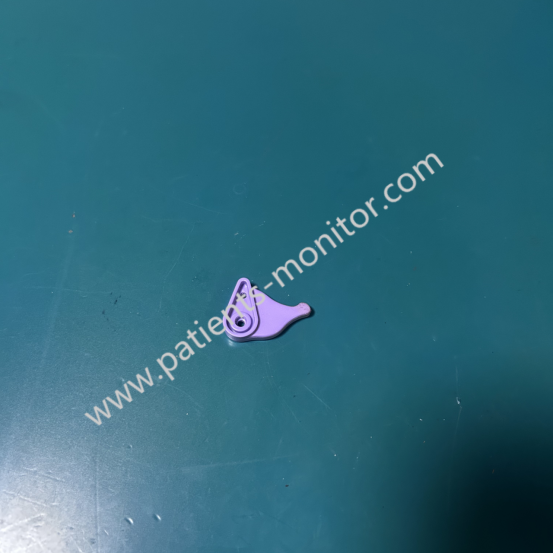
Biocare FM-801 Fetal Monitor Printer Cover Buckle, Plastic Small Used Medical Equipment Part
► Brief Description
The Biocare FM-801 Fetal Monitor Printer Cover Buckle is located on one side of the printer cover and mates with a corresponding slot or hook on the printer body. Made of high-strength engineering plastic, it offers excellent toughness and abrasion resistance, ensuring it resists breakage after repeated opening and closing. For aesthetic reasons, the buckle may be placed in an inconspicuous location, requiring a bit of careful observation to spot.
► Detailed Photos

► Function
The Biocare FM-801 Fetal Monitor Printer Cover Buckle has the following key functions:
1. Securement and Sealing: The buckle's primary function is to securely lock the printer cover to the printer body, ensuring smooth and level paper feed. It prevents paper jams, skewed printing, or blurred text caused by a loose cover.
2. Internal Mechanism Protection: It protects delicate components such as the print head and paper feed roller from damage caused by dust, liquids, and accidental impacts.
3. Convenient Operation: The well-designed buckle allows medical staff to quickly and easily open and close the printer cover for paper changes or emergency procedures.
► Notes
1. Proper Opening and Closing Techniques:
- Opening: Locate the latch and apply firm, even pressure with your fingertips. Avoid digging with your fingernails or prying with sharp objects.
- Closing: Align the lid and apply even pressure with your palm until it clicks into place. Do not apply force from one side or force the latch.
2. Common Problems and Causes:
- Broken latch: This is the most common problem. It is usually caused by improper operation, excessive force, or long-term fatigue and aging.
- Loose latch: This can cause the lid to not close properly, resulting in streaks on printed drawings or paper jams. This may be caused by worn latches or foreign objects in the latch slot.
- Unable to unlock: This may be caused by misalignment of the internal mechanism or obstruction.
3. Cleaning and Maintenance:
- Clean the latch and latch slot area regularly with a dry, soft cloth to prevent accumulation of dust and paper scraps.
- Do not use corrosive cleaners (such as alcohol or thinner) directly on the latch, as this may cause the plastic to become brittle. - If the buckle is found to be slightly loose or making unusual noises, stop using it and report it for repair immediately.
Contact: Jasmine Duan
WhatsApp: +86 151 8004 7496
E-mail: dhy.jasmine@gmail.com
Thanks for your interest in Biocare FM-801 Fetal Monitor Printer Cover Buckle, Plastic Small Used Medical Equipment Part, please feel free to contact me. Thank you for your time and wish you have a happy life.