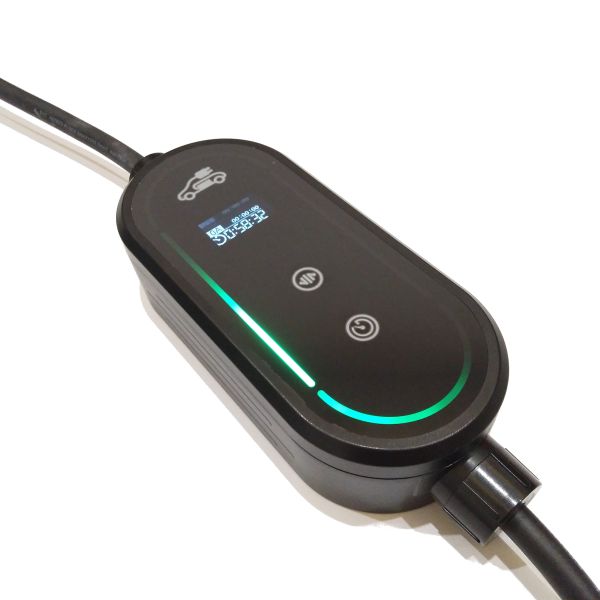
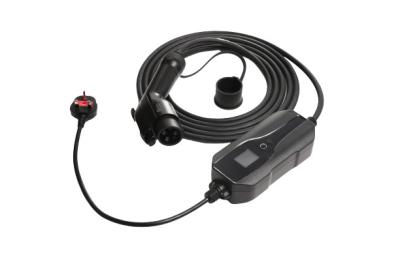
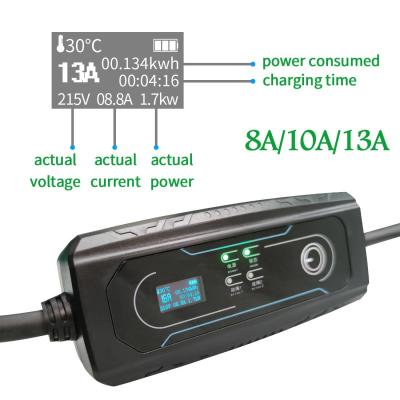
New Portable EV Charger with 2.4 Inch Screen featuring APP Bluetooth, WIFI, and RFID Card Intelligent Car Charger functionality. This Type 2 charger with Schuko plug offers a portable and simple charging solution for travel or when away from traditional charging stations.
| Input/Output voltage | AC110V/230V/400V |
|---|---|
| Input frequency | 50/60Hz |
| Max.output power | 1-Phase up to 3.7kW(@400V 16A) |
| Max.output current | 16A for 3-Phase |
| Standard | 16A for 1-Phase |
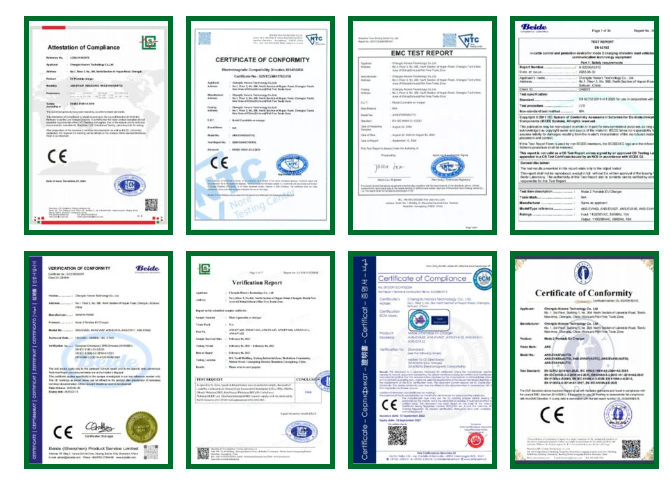
| Certificate | EN62752 |
| LED indicators | 30 RGB LED lights |
|---|---|
| Display Screen | 2.4-inch OLED screen |
| RCD | Type B |
| Current adjustment | Yes |
| Delay charging adjustment | Yes |
| Protection degree | IP 67 |
|---|---|
| Operation temperature | -30℃~+60℃ |
| Relative humidity | ≤95%RH |
| Operating elevation limit | ≤2000m |
| Cooling | Natural air cooling |
| Standby power consumption | <0.5W |
| Over voltage protection | Yes |
|---|---|
| Under voltage protection | Yes |
| Overload protection | Yes |
| Short circuit protection | Yes |
| Leakage protection | Yes |
| Over-temp protection | Yes |
| Lightning protection | Yes |
| Charging cable | 5m (Standard configuration) |
|---|---|
| Control box | HxWxD=200mm*90mm*52mm |
| Weight | 3.0kg |
| Colour & Material | Black; Tempered Glass, PC |


The LCD brightness can be adjusted from 10% to 100%. Turn off the screen after the set delay time without touching the button. If Off-LED is enabled, the LED will turn off simultaneously with the LCD.
When PIN is enabled, PIN code needs to be entered to access the Menu, and the icon on the status display page will light up.
Three reservations can be set, with charging scheduled between start and end times. If stop charging is enabled, charging will pause upon the stop time; otherwise, it will continue until the battery is fully charged, following the week setting. After reservation is enabled, the icon on the status display page will light up.
Once Plug & Charge is enabled, you can start charging when the vehicle plug is connected, with no other authorization required.
The device can store up to 30 records, which can be viewed through the left and right buttons (turn orange and touch the button).
RFID can be added or disabled, with maximum of six cards added and saved.
The device needs to be set with wireless name and password through the APP, and you can also set static IP address. The ChargeID and URL for OCPP need to be set via the APP.
The device can communicate through ModBus TCP in WiFi mode. After enabling load balancing, control the current during the charging process through the enabled communication mode.