We present the 32-inch Infrared Touch All-in-One Floor-Standing Display—more than just a screen, it’s a versatile partner that combines smart display, smooth interaction, and flexible deployment. With its minimalist narrow bezel design and sturdy aluminum alloy body, it blends seamlessly into meeting rooms, exhibition halls, retail spaces, classrooms, and more—delivering crisp visuals and responsive touch interaction to make information delivery more intuitive and collaboration more effortless.
| Parameter | Value |
|---|---|
| Display | |
| Screen Size | 32 inches |
| Resolution | 1920 × 1080 Full HD |
| Brightness | 260–450 cd/m² |
| Contrast Ratio | 1200:1 |
| Viewing Angle | 178°/178° |
| Touch Performance | |
| Touch Type | Infrared |
| Touch Points | Up to 20 points |
| Response Time | < 8ms |
| Touch Surface | 3mm Tempered Glass |
| Positioning Accuracy | ≤ 3mm |
| Hardware | |
| Processor | Quad-core Cortex-A55 |
| RAM | 2GB DDR4 |
| Storage | 16GB |
| OS Support | Android 11 / Windows (optional) |
| Connectivity | Wi-Fi 2.4GHz + Ethernet |
| Ports & Connectivity | |
| Inputs | HDMI × 1, USB 2.0 × 2, TF Card Slot, Headphone Jack |
| Audio Output | Built-in Dual Speakers |
| Power Input | 100–240V AC |
| Physical Properties | |
| Dimensions (with base) | 1550 × 439 × 450 mm |
| Net Weight | Approx. 23 kg |
| Installation | Floor-standing (wall mount bracket optional) |
| Color Options | Black / Silver / White (customizable) |
| Environment & Power | |
| Operating Temperature | -10°C to 55°C |
| Operating Humidity | 10% to 90% RH |
| Power Consumption | Approx. 50W |
| Standby Power | ≤ 0.5W |
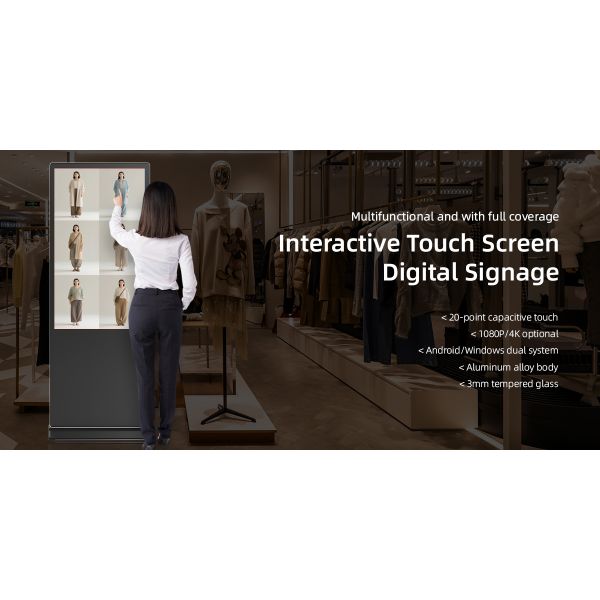
Main product visual showcasing the overall appearance of the 32-inch floor-standing infrared touch all-in-one. Featuring a narrow bezel design for a full-screen display, with an aluminum alloy sandblasted and anodized frame in black/silver, reflecting modern minimalism and professional quality. Floor-standing installation with optional caster wheels for mobility, suitable for various commercial scenarios.

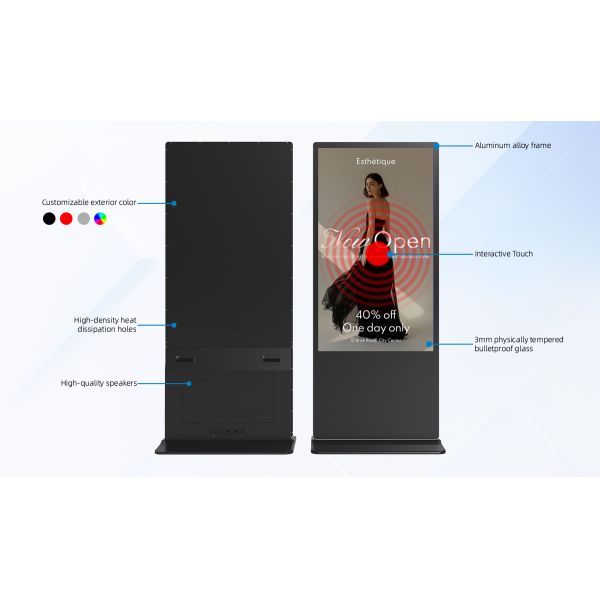
Illustration highlighting the product structure or key features. Likely includes annotations of core components such as the ultra-slim design, active cooling back cover, aluminum alloy frame, and 3mm tempered glass. Visually demonstrates craftsmanship and internal construction, helping customers quickly grasp product value.

Close-up of the screen surface featuring 3mm physical tempered anti-vandal glass. High strength and impact resistance effectively protect the screen from bumps and scratches. Ensures high light transmittance and smooth touch experience, ideal for high-traffic public environments.

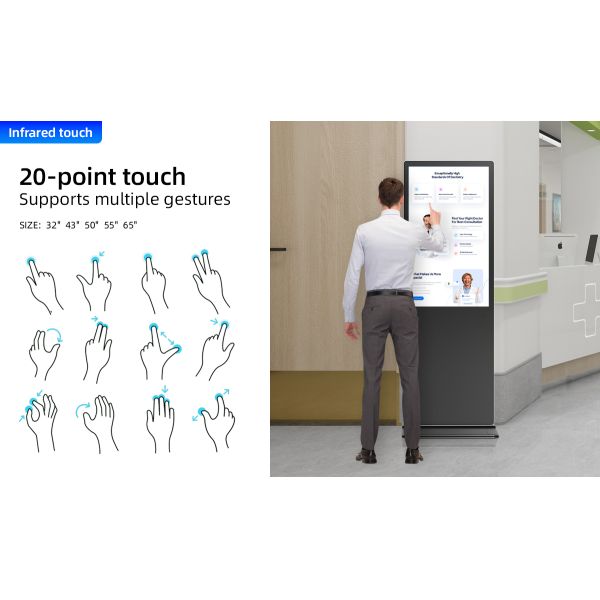
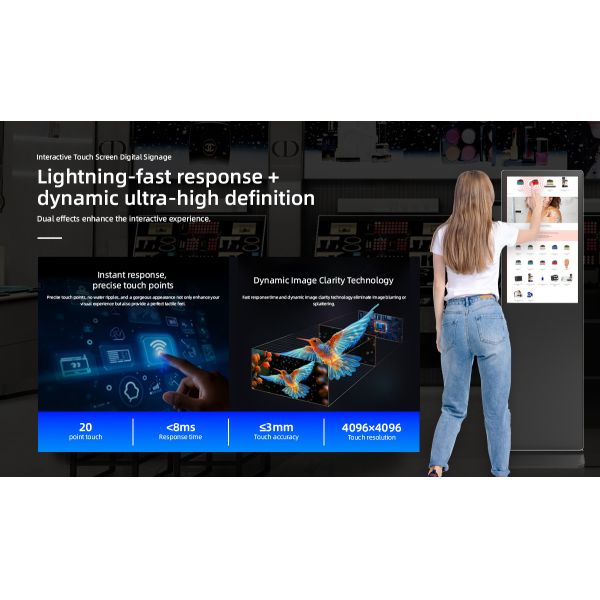
Demonstration of the infrared touch performance, supporting up to 20 simultaneous touch points. Imagery may include multi-user writing, gesture control, or multiplayer gaming scenarios. Highlights high precision, fast response, and smooth touch writing experience.

The touch functionality supports fingers or any opaque object for smooth operation, with accuracy up to ≤3mm and response time under 8ms. It's designed to make interactions more intuitive—whether in meetings, classrooms, or info kiosks.

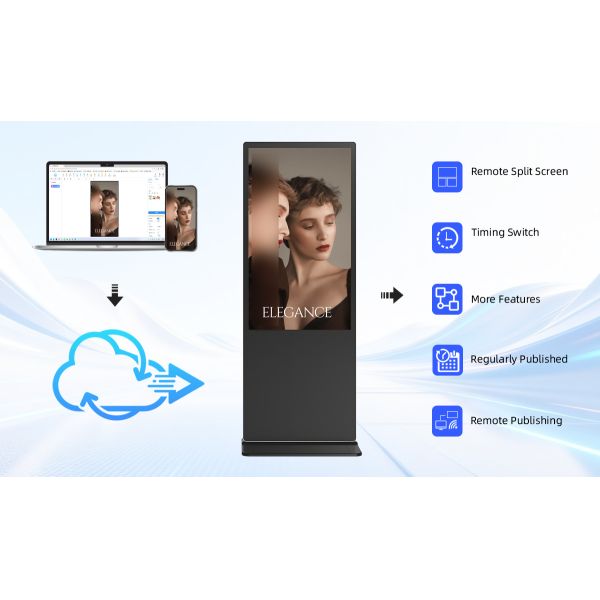
Showcasing information delivery functionality with built-in cloud control APP and remote management software. Enables remote power on/off, content updates (images/videos), and playlist management. Suitable for retail, banking, hospitals, and other scenarios requiring centralized content management.

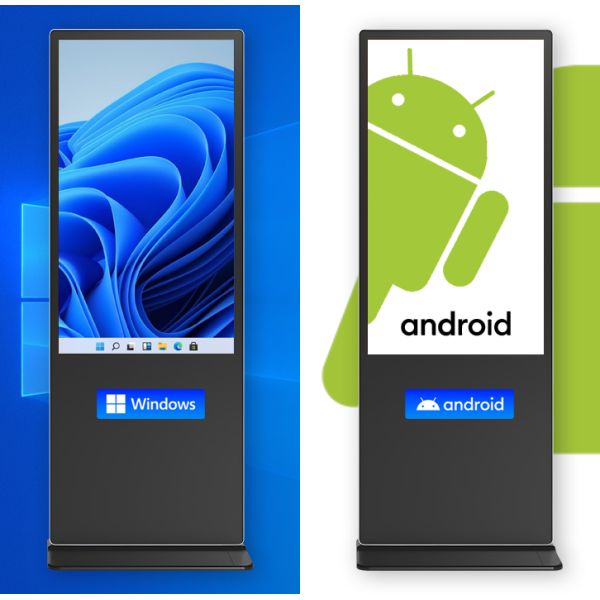
This model offers dual-system flexibility: you can choose between Android and a Windows OPS module. The structure is universal, so switching between systems is straightforward depending on your needs. It comes with Android 11 by default, and Windows is available as an option.
Q1: What’s the difference between Android and Windows systems? Which should I choose?
A: Android offers fast boot-up and simple operation, ideal for content display and touch interaction. Windows provides broader software compatibility for professional applications like Office or design tools. Choose based on your usage needs, or opt for a dual-system version.
Q2: Does the touchscreen require regular calibration? How do I clean it?
A: Infrared touchscreens generally do not need calibration. Clean with a soft dry cloth or dedicated screen cleaner. Avoid abrasive or corrosive liquids.